

FortiGate VM is a virtual next-generation firewall running FortiOS on Azure VMs, deployed from Microsoft Marketplace under pay-as-you-go or bring-your-own-license terms.

Network security groups and Azure Firewall filter traffic inside the platform. FortiGate VM adds deep packet inspection, IPS, SSL inspection, and application control, using the same FortiOS policy model as AWS, Google Cloud, and on-premises.


FortiGate VM integrates with the Azure networking services your teams already use — VNet peering, user-defined routes, Azure Load Balancer, availability zones, and Azure Virtual WAN — to inspect traffic entering, leaving, and moving within an Azure environment. As part of the Fortinet Security Fabric, the same instance also provides Secure SD-WAN and Universal ZTNA without adding separate products.
Click each card to learn more.

Secure Azure Landing Zones
Place FortiGate VM in the hub of a hub-and-spoke landing zone, using user-defined routes to steer spoke traffic through the firewall for centralized inspection and consistent policy enforcement across subscriptions.

Extend your SD-WAN to the Cloud
Terminate Secure SD-WAN connections from branches and data centers directly on FortiGate VM in Azure, so cloud on-ramp and inspection are handled by the same instance rather than separate products.

Protect Internet-Facing Applications
Inspect inbound traffic to public-facing workloads behind Azure Load Balancer or Application Gateway, with deep packet inspection, IPS, and SSL inspection applied before traffic reaches the application tier.
Segment and Inspect East-West Traffic
Steer traffic between VNets and subnets through FortiGate VM with user-defined routes, so lateral movement between workloads and application tiers is inspected rather than implicitly trusted.
Curious what centralized visibility and control looks like? Tour the FortiGate VM dashboard and explore real-time threat detection, granular access controls, and custom policy enforcement with this short demo.

Insert FortiGate VM into an existing hub-and-spoke design using user-defined routes, without redesigning the network around the firewall.

Policies written for Azure apply unchanged in AWS, Google Cloud, and on-premises, and are managed centrally from FortiManager.

Launch from Microsoft Marketplace and automate with ARM templates, Bicep, or Terraform, including availability zone placement for resilient deployments.


Chat with Allan, our AI-Powered Guide, to ask questions, explore use cases, and get insights into using best practices and proven architectures. Available on demand. No sales pitch. Just clear guidance.

Customers worldwide trust Fortinet
Inclusions in industry analyst reports
FortiGate deployments globally

FINTECH
Odlum Brown improved visibility and operations at reduced costs with FortiGate and SD-WAN.
Read Case Study
Cust. Experience
Callzilla streamlined security with a ZTNA model and boosted agent productivity 20% with FortiGate.
Read Case Study
Healthcare
Sentara secures critical medical data and scales protection across its Azure environments with FortiGate.
Read Case Study
oil and Gas
Diversified Energy gains the ability to isolate prospective incidents and to centralize IT/OT management.
Read Case Study
Education
Clariens reduces time to detect threats by 98% and speeds up response times by 81% with secure SD-WAN.
Get the tools, templates, and expert guidance you need to simplify deployment, automate configuration, and optimize FortiGate VM on Azure. Need assistance? Contact our Azure specialists at azuresales@fortinet.com.
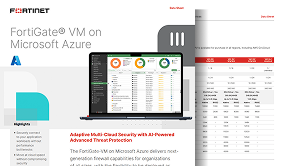
FortiGate VM on Azure
Get a quick view of FortiGate VM on Azure including instance sizing, throughput, and more.
View Datasheet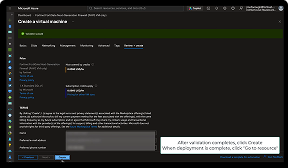
Set-up Tutorial
Quickly deploy FortiGate VM on Azure with this 3-minute step-by-step guide.
Watch Video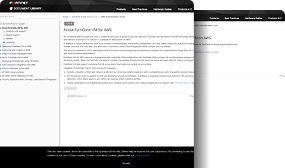
Deployment Guide
Get step-by-step instructions in the FortiGate VM Azure administration guide.
View Deployment Guide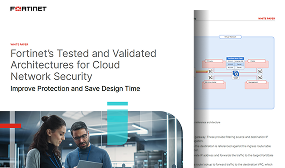
Trusted Reference Architectures
Repeatable frameworks for cloud security deployment that reduce the risk of human error.
Read Whitepaper
Cloud Security for SMBs
Explore how cloud network firewalls can help SMBs overcome today’s security challenges.
Watch WebinarReady to experience advanced firewall protection powered by AI-driven threat intelligence? Try FortiGate VM free for 30 days on Microsoft Marketplace.
Start Free TrialStart Free Trial




Common questions about deploying, licensing, and managing FortiGate VM on Azure.

